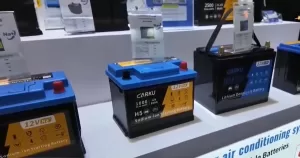

So you’ve just purchased a CARKU starting battery but aren’t sure how to connect it to your phone? Don’t worry. Connecting your CARKU battery to the smartphone app takes less than five minutes, and once you do, you’ll have real-time visibility into your battery’s health, specifications, and support resources—all from your pocket.
Here’s exactly how to get set up.
Before You Start Use the CARKU Battery APP: What You’ll Need
Make sure you have:
- Your CARKU starting batteryand its product manual.
- A smartphone (iOS or Android)
- A stable internet connection (for initial app download and account registration)
- Bluetooth enabled on your phone
Got everything? Let’s dive in.
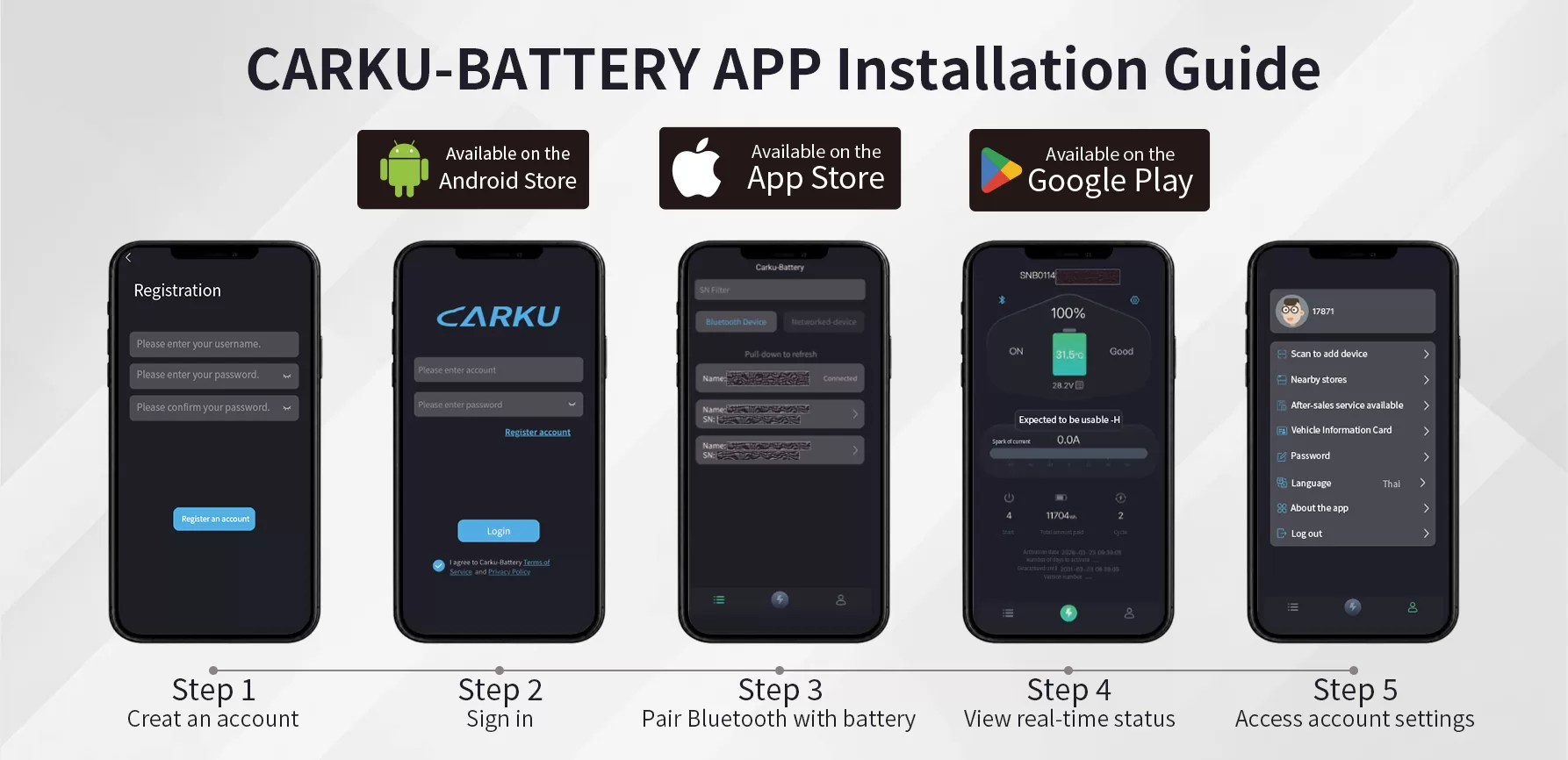 CARKU-BATTERY APP Installation Guide
Step 1: Download the “Carku Battery” App and Create Your Account
Head to your device’s app store—Apple App Store for iOS or Google Play Store for Android—and search for “Carku Battery”.
Download and install the official app (look for the CARKU logo to ensure it’s the genuine version).
Once installed, open the app and tap “Register” or “Sign Up”. You’ll need to provide:
- A valid username
- A secure password
- Confirm password
Pro Tip: Account registration is the first step in the supplied CARKU installation guide. The guide does not specify the required registration fields, so follow the prompts shown in your version of the app.This is where you’ll receive important updates, warranty information, and support notifications from CARKU.
Step 2: Log In to Your Account
After registration, return to the app’s home screen and log in using the credentials you just created.
- Open the login screen.
- Enter your account details.
- Complete passwordrequested on screen.
- Continue to the app’s main interface.
Step 3: Enable Bluetooth and Pair Your Battery
Next, turn on your phone’s Bluetooth and connect to the battery through the app.
- Enable Bluetooth on your phone.
- Return to the Carku-Battery app.
- Follow the app’s prompts to find available devices.
- Select the battery you intend to connect.
- Wait for the app to indicate a successful connection.
Once paired successfully, you’ll see information, will appear in the app’s equipment list.
Step 4: View Your Battery’s Technical Specifications
Now that you’re connected, let’s explore what your battery can tell you.
From the main device list, tap on your battery’s ID (usually a serial number). This opens the detailed dashboard where you can monitor:
- Current voltage – Real-time reading of your battery’s charge level
- Temperature status – Ensures safe operating conditions
- Health indicators – Early warnings for potential issues
This data is invaluable for maintaining your battery’s longevity and knowing exactly when it needs recharging or servicing.
Why This Matters: Unlike traditional starting battery that leave you guessing, the CARKU smart app gives you visibility. You’re no longer reacting to problems—you’re preventing them.
Step 5: Access Settings for Support, Purchasing, and More
Tap the Settings icon to unlock a suite of helpful resources:
Bind Additional Devices: Own multiple CARKU products? Link them all to one account for centralized management.
Where to Buy Replacement Batteries: Direct links to authorized retailers for genuine accessories and replacement units.
Warranty & Service Terms: Full documentation of your coverage, claim procedures, and support contacts.
Language Preferences: Switch the app interface to your preferred language (multiple options available).
This section is your go-to hub for everything post-purchase—from maintenance to upgrades.
Quick Recap: Your 5-Step Checklist
- Download “Carku Battery” app and register an account
- Log in with your credentials
- Enable Bluetooth and pair your device
- Tap your battery ID to view technical specs
- Explore Settings for support, purchasing, and customization
Still Have Questions?
If you’ve followed these steps and something isn’t working as expected, don’t hesitate to reach out. CARKU’s support team is ready to help via email or through the contact form in the app’s Settings menu.
Final Thoughts: Smart Power, Simplified
Ready to take control? Download the Carku Battery app today and turn your starting battery into a smart companion.Found this guide helpful? Share it with a fellow CARKU owner who might benefit from a smoother setup experience.